
Best Drawing Tablet Under $500 (2026 Guide for Digital Artists)
If you're searching for the best drawing tablet under $500, you're in the ideal range for serious digital art performance without overspending. In this price bracket, you can get: Professional-level pressure sensitivity Larger drawing surfaces Display tablet options Better color accuracy More durable build quality Whether you're upgrading from a beginner tablet or investing in your first serious setup, this guide will help you choose the right drawing tablet under $500 based on your workflow and experience level.
3/30/20263 min read
This article contains affiliate links. If you buy through them, I may earn a commission at no extra cost to you. I only recommend tools I believe are genuinely helpful for artists.
Who Should Spend Up to $500 on a Drawing Tablet?
You don’t need to spend this much if:
You're completely new to digital art
You're experimenting casually
You're unsure you'll stick with it
But you should consider this range if:
You draw multiple times per week
You want smoother line control
You’re building a portfolio
You want display drawing capability
You’re serious about improving
If you're brand new, read:
👉 Best Digital Art Setup for Beginners Under $300
Types of Drawing Tablets Under $500
There are two main types in this range:
Pen Tablets (No Screen)
You draw on the tablet while looking at your monitor.
Pros:
Affordable
Lightweight
Durable
Great for beginners and intermediates
Pen Display Tablets (With Screen)
You draw directly on the screen.
Pros:
More intuitive
Feels more natural
Better for detailed work
Cons:
More expensive
Heavier
Less portable
Let’s look at the best options in each category.
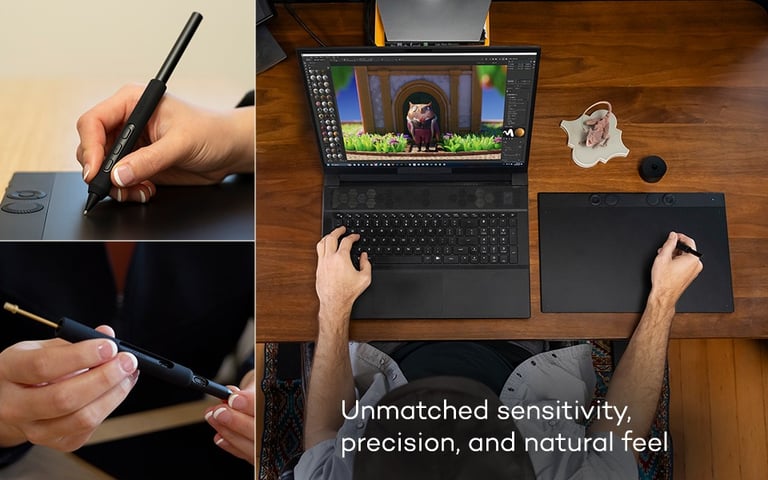
Best Pen Tablet Under $500
Wacom Intuos Pro (Small or Medium)
Why it's popular:
Professional-level performance
Excellent pen response
Trusted brand in the industry
Extremely durable
Best for:
Artists upgrading from beginner tablets
Designers who want long-term reliability
This is one of the most consistent professional pen tablets available in this price range.
👉 Check Wacom Intuos Pro Price on Amazon
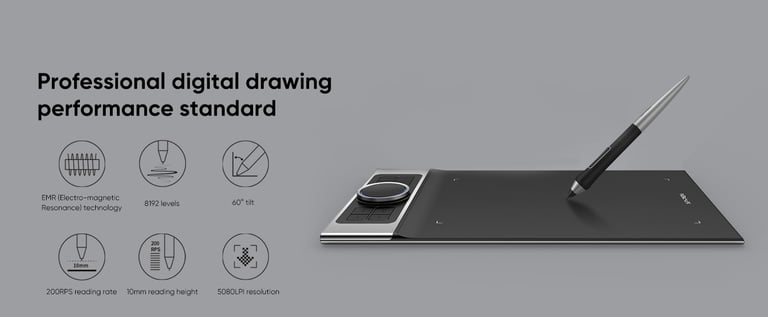
XP-Pen Deco Pro
Why it’s strong:
Affordable compared to Wacom
Large drawing surface
Solid build quality
Excellent value
Great for:
Artists who want pro features without premium pricing
👉 Check XP-Pen Deco Pro Price on Amazon
Best Display Drawing Tablet Under $500
Now we’re in serious upgrade territory.
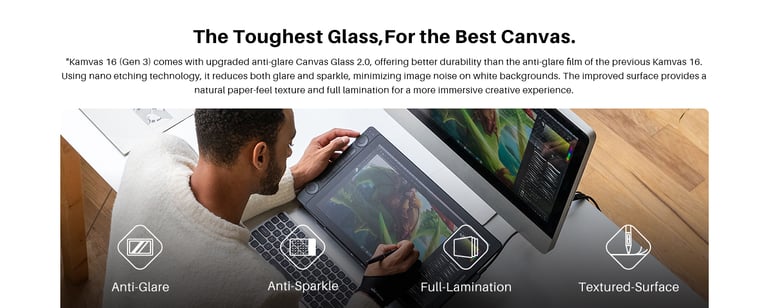
Huion Kamvas 13 or 16
Why it stands out:
Full HD display
Laminated screen
Excellent color accuracy for the price
Strong pressure sensitivity
Best for:
Artists who want to draw directly on the screen
Intermediate creators upgrading from pen tablets
👉 Check Huion Kamvas Price on Huion
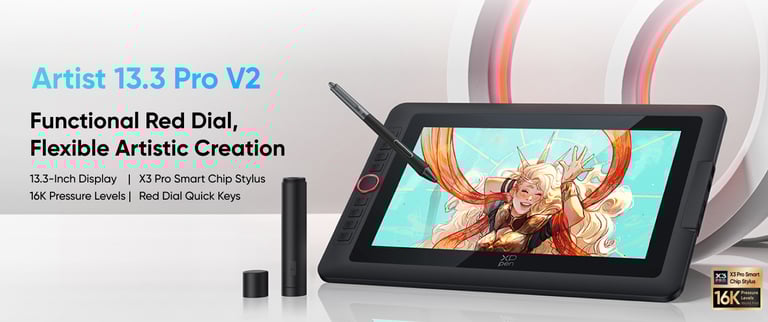
XP-Pen Artist 13.3 Pro
Strong option because:
Affordable display tablet
Good color performance
Slim design
Great value-to-performance ratio
👉 Check XP-Pen Artist 13.3 Pro Price on Amazon
What to Look For in a Drawing Tablet Under $500
Before buying, check:
✔ Pressure sensitivity (8192+ recommended)
✔ Active drawing area size
✔ Screen resolution (if display tablet)
✔ Compatibility with Clip Studio / Photoshop
✔ Build quality
Software Compatibility
All tablets listed work well with:
Clip Studio Paint
Photoshop
Procreate (via iPad alternative route)
Canva (indirect use for creators)
Is a Display Tablet Worth It?
If you:
Prefer traditional drawing feel
Struggle with hand-eye coordination on pen tablets
Do detailed inking work
Then yes, it’s worth considering.
If you're comfortable drawing while looking at a monitor, a pen tablet may be enough.
Frequently Asked Questions
What is the best drawing tablet under $500?
The Wacom Intuos Pro is widely considered one of the best pen tablets under $500. For display tablets, the Huion Kamvas series offers excellent value.
Is Wacom better than Huion or XP-Pen?
Wacom is considered more premium and durable. Huion and XP-Pen offer excellent value for lower cost.
Should beginners buy a display tablet?
Not necessarily. Many professionals use non-display tablets for years before upgrading.
Final Thoughts
Under $500, you enter professional-grade territory.
You don’t need to spend this much to start.
But if you’re upgrading or building a serious art workflow, this price range offers excellent value.
Choose based on:
Your drawing frequency
Your workflow style
Your comfort level
Your long-term goals
Upgrade intentionally — not impulsively.


Contact
Questions? Reach out anytime here.
pixelpenart33@gmail.com
© 2025. All rights reserved.
Some links on this site may be affiliate links. Read full disclosure here.